See Dojix in action
Every screen is built for one job: showing you where you make money and where you lose it. Every feature is free and open source.
Screenshots show the built-in sample trades. Every number in them is made up.
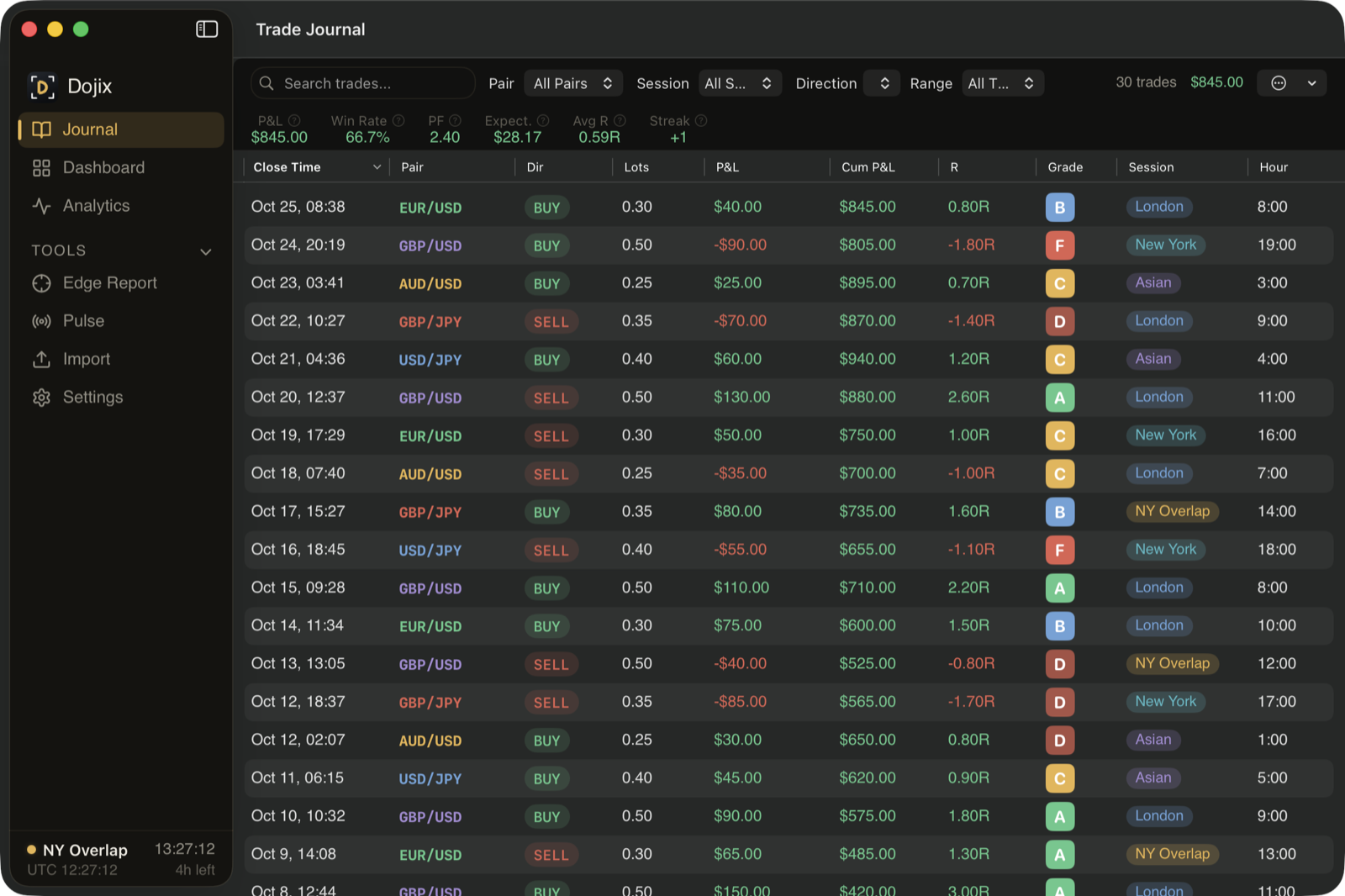
Trade Journal
Every trade with pair, direction, size, P&L, R-multiple, MAE/MFE, session and hour. Add notes, tags, emotions, checklists, commission and swap, and screenshots.
- Auto-graded A-F on R-multiple, execution, timing and management
- Search, filter and sort by pair, session, direction and date range
- Cumulative P&L column shows your equity curve inline
- Trade replay with play/pause and running stats
- Export to PDF or CSV
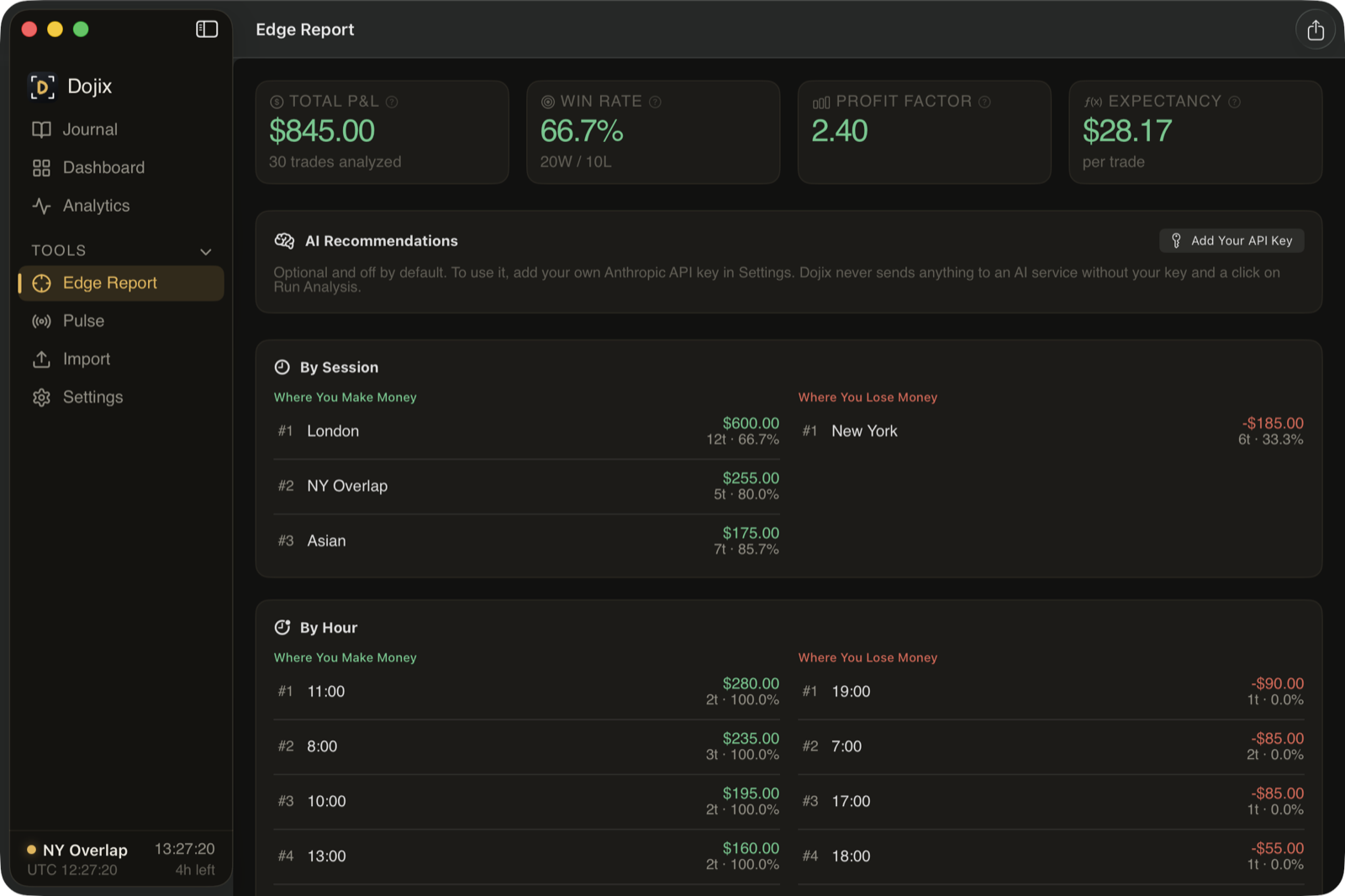
Edge Report
Ranks your top 5 places to make and lose money by session, hour, day and pair, with dollar amounts on each one. Export it as PDF or CSV.
- Bias-alignment and volatility breakdowns
- Tag analytics for your own setups
- Post-close continuation analysis
- What to Cut advisor: what's costing you, with numbers
- Optional AI recommendations with your own Anthropic API key: 3-5 ranked suggestions with dollar estimates, from summary statistics only, and only when you click Run Analysis
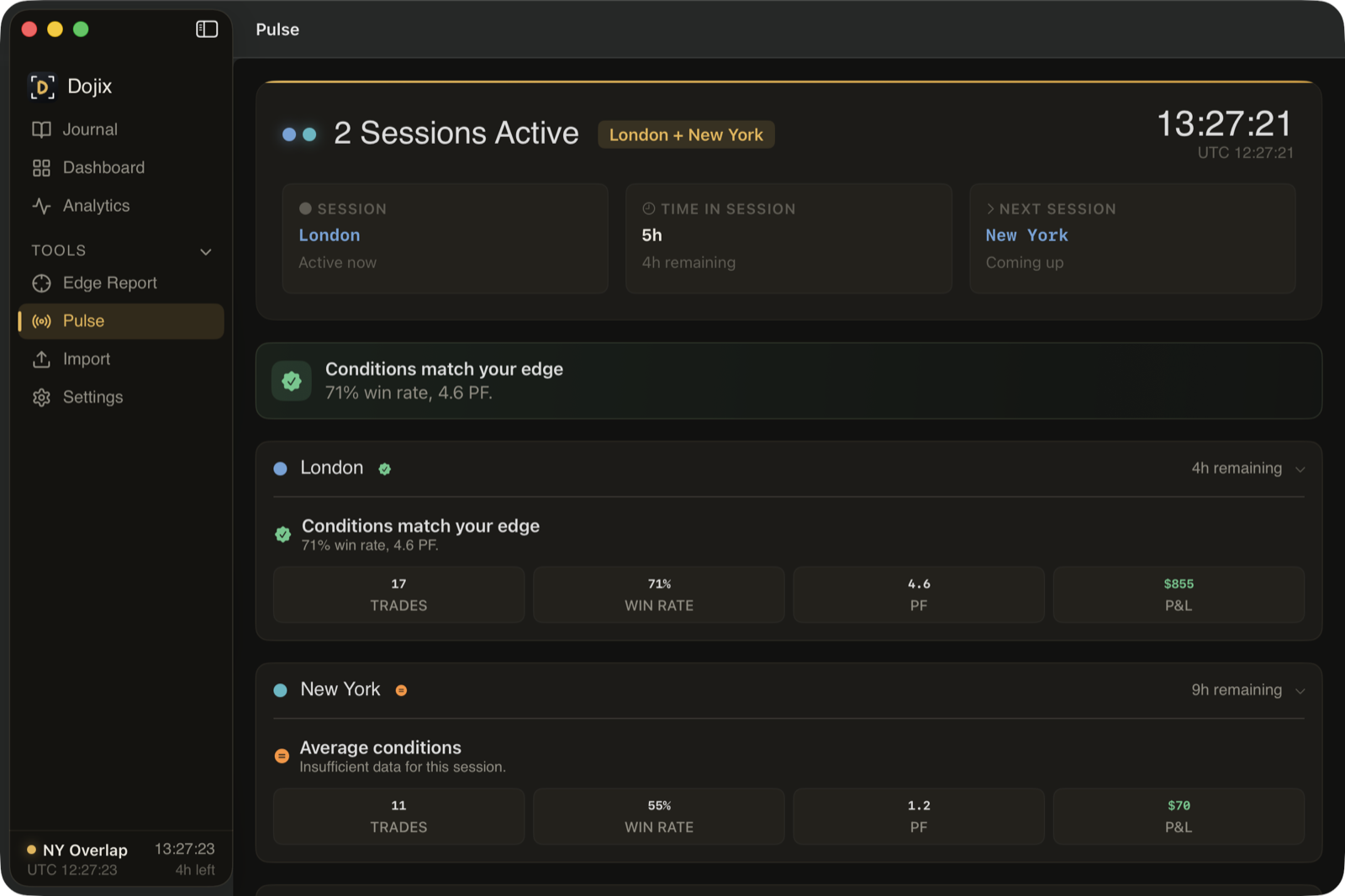
Pulse — Live Session Intelligence
A live session clock with time remaining, an economic calendar with "danger zones" around big news, and a signal that tells you whether the session that's open matches your best history.
- Session intelligence: FOCUS / OK / REDUCE / AVOID
- Danger zones before high-impact news
- Weekly economic calendar
- Currency strength bars
- Optional live prices from Twelve Data, Polygon.io, OANDA, or MetaTrader 5 directly (no key needed)
Monte Carlo & Risk of Ruin
Run 1,000 randomized simulations of your trade history. See your probability of hitting a target and your risk of blowing the account.
- 1,000 simulated equity curves with 5th-95th percentile bands
- Probability of profit, target hit and drawdown
- Risk of Ruin with the Kelly criterion
- Exit efficiency: how much you leave on the table
- Commission & swap cost tracking by symbol
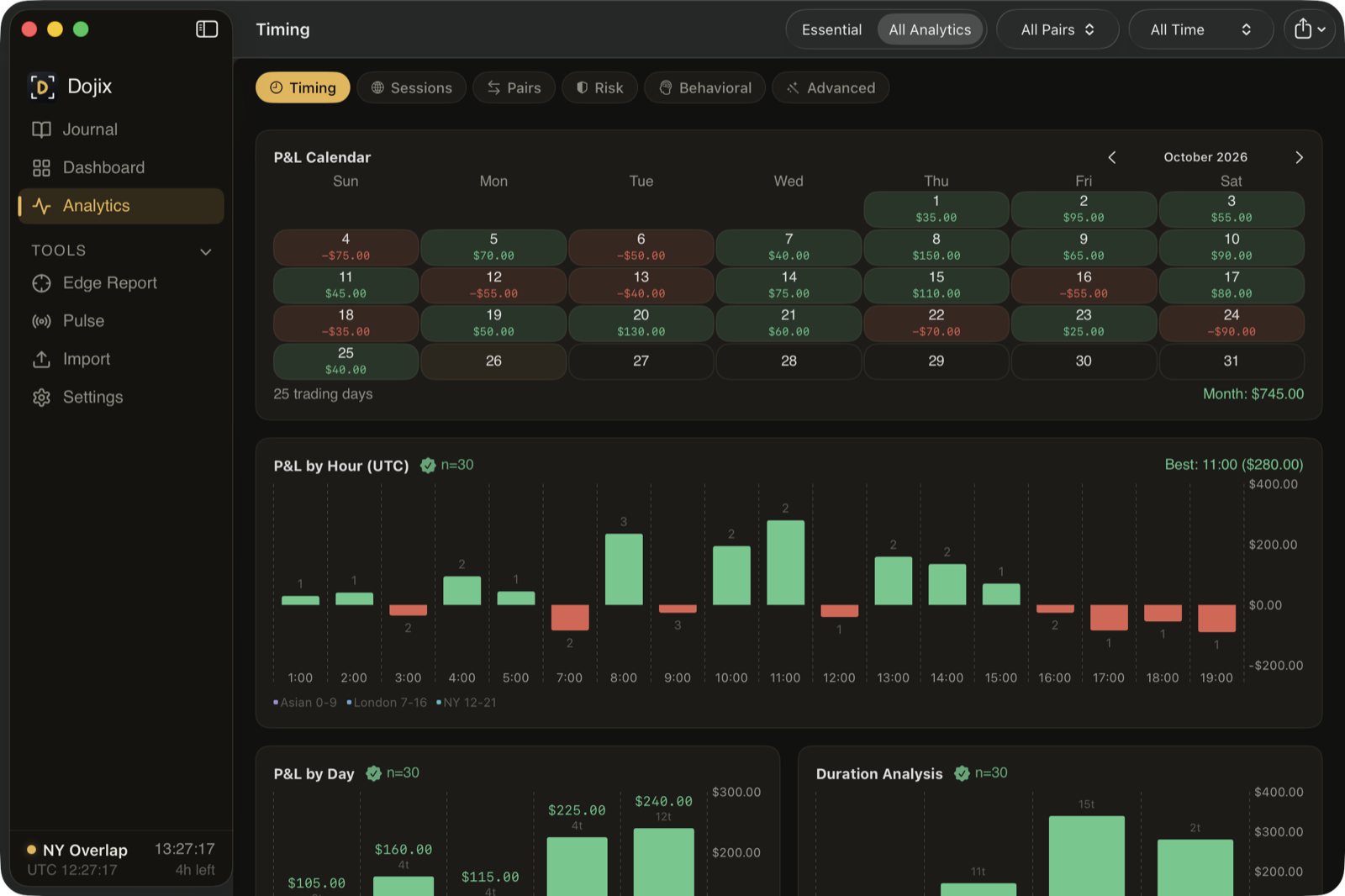
Timing Analytics
When do you trade best? A P&L calendar, hourly and day-of-week breakdowns, and duration analysis show when your edge is sharpest.
- Trade calendar with daily P&L
- Hourly P&L chart: see which hours pay you
- Day-of-week breakdown
- Duration analysis: are you holding too long or cutting too short?
- Trade time heatmap: hour vs. day grid
Sessions & Kill Zones
See P&L by session and hour, find your most profitable time windows, and understand your win/loss streaks.
- Session heatmap: P&L by hour and day of week
- Kill Zone Optimizer: your most profitable time windows
- Session intelligence with per-session edge signals
- Sequence analysis: win/loss streak patterns
- Streak timeline: see momentum shifts
Pair & Instrument Analytics
What you trade and how: win/loss distributions, per-pair metrics, directional bias, lot sizing patterns and correlation.
- Win/loss distribution with R-multiple histogram
- Per-pair analytics: win rate, average P&L, trade count
- Directional edge: long vs. short performance
- Lot size analysis: are you sizing up after losses?
- Pair correlation matrix
- MAE/MFE and slippage analysis
Behavioral Analytics
Know your discipline score, your consistency score, and whether you're improving or slipping.
- Discipline Score (A-F): overtrading, revenge, tilt, sizing
- Consistency Score: win rate stability, recovery, timing
- Trade grades: A-F distribution across your history
- Emotional P&L: Calm, Confident, Anxious, Frustrated, Revenge, FOMO, Bored
- Checklist compliance: dollar impact of following your rules
Risk & Growth Projections
Understand your drawdowns, project your account growth, and size positions from your actual numbers.
- Drawdown recovery: time underwater, depth, behavior during drawdown
- Growth projections with compounding scenarios
- Position sizer based on your own risk metrics
- Sharpe and Calmar ratios, benchmark comparison
- Event Impact Profiler: how NFP, FOMC, CPI, ECB and BOE days affect your P&L
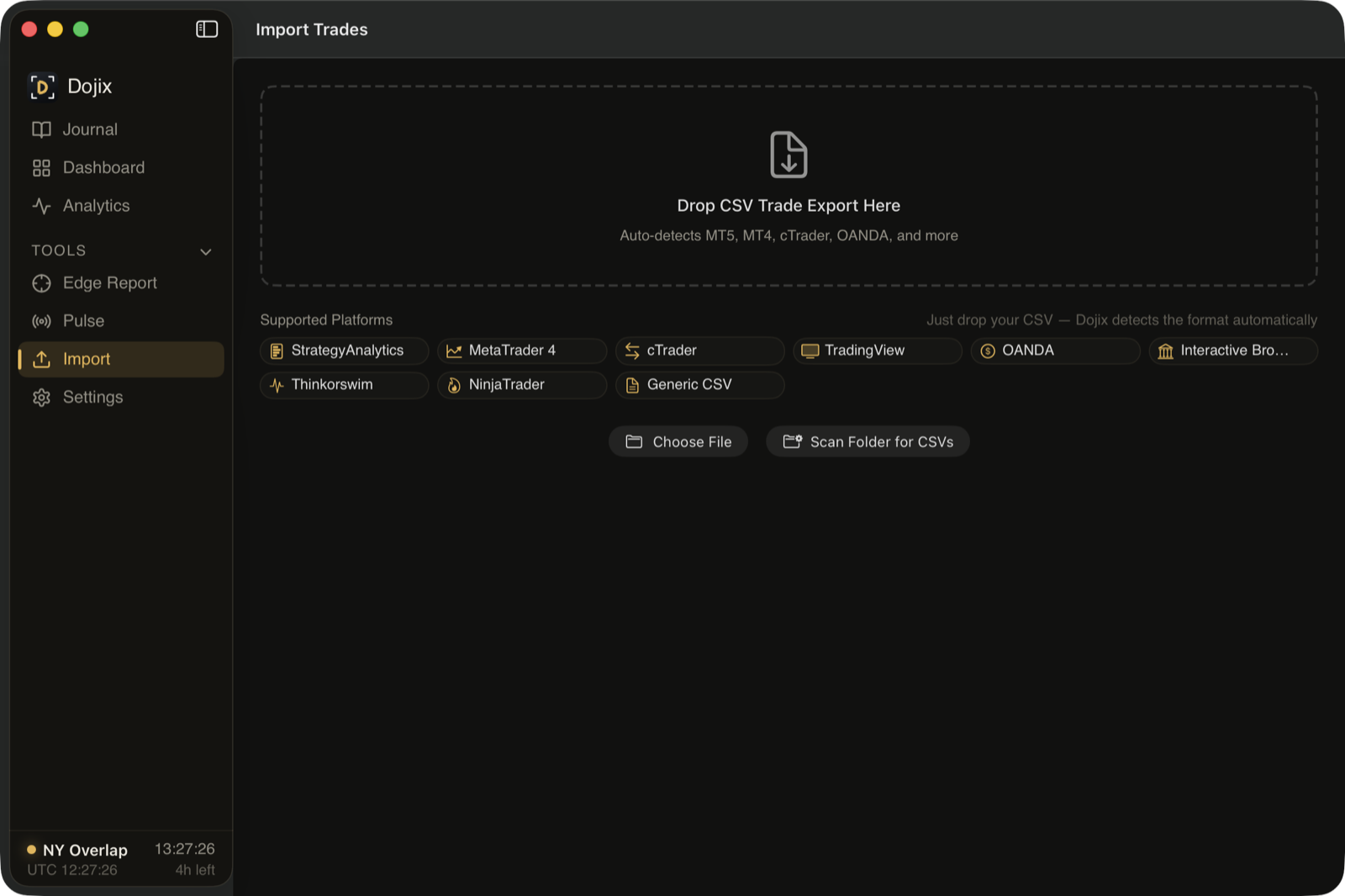
Import from the platforms you use
Drag and drop a CSV and Dojix detects the format, or import from OANDA through its API. Re-importing the same file never creates duplicates.
- MetaTrader 5 (StrategyAnalytics CSV), with automatic import from your MT5 files folder
- MetaTrader 4, cTrader, TradingView, NinjaTrader
- OANDA, by CSV or API
- Interactive Brokers, thinkorswim
- Any other CSV through a column-mapping screen
More than 60 analytics
Each one answers a question about your trading. An Essential view shows only the core set.
Import from anywhere
Drag and drop a CSV. Dojix detects the format.
Don't see your platform? The generic CSV importer with column mapping handles other formats.
Ready to find your edge?
Free and open source (GPL-3.0). macOS 14 or later. No account needed. Windows version coming soon.