See your edge.
A free, open-source trade journal for forex traders on the Mac. Import your history and Dojix shows you, in dollars, where you make money and where you lose it.
macOS 14+ · No account · No telemetry · Journal encrypted on your Mac · Windows version coming soon
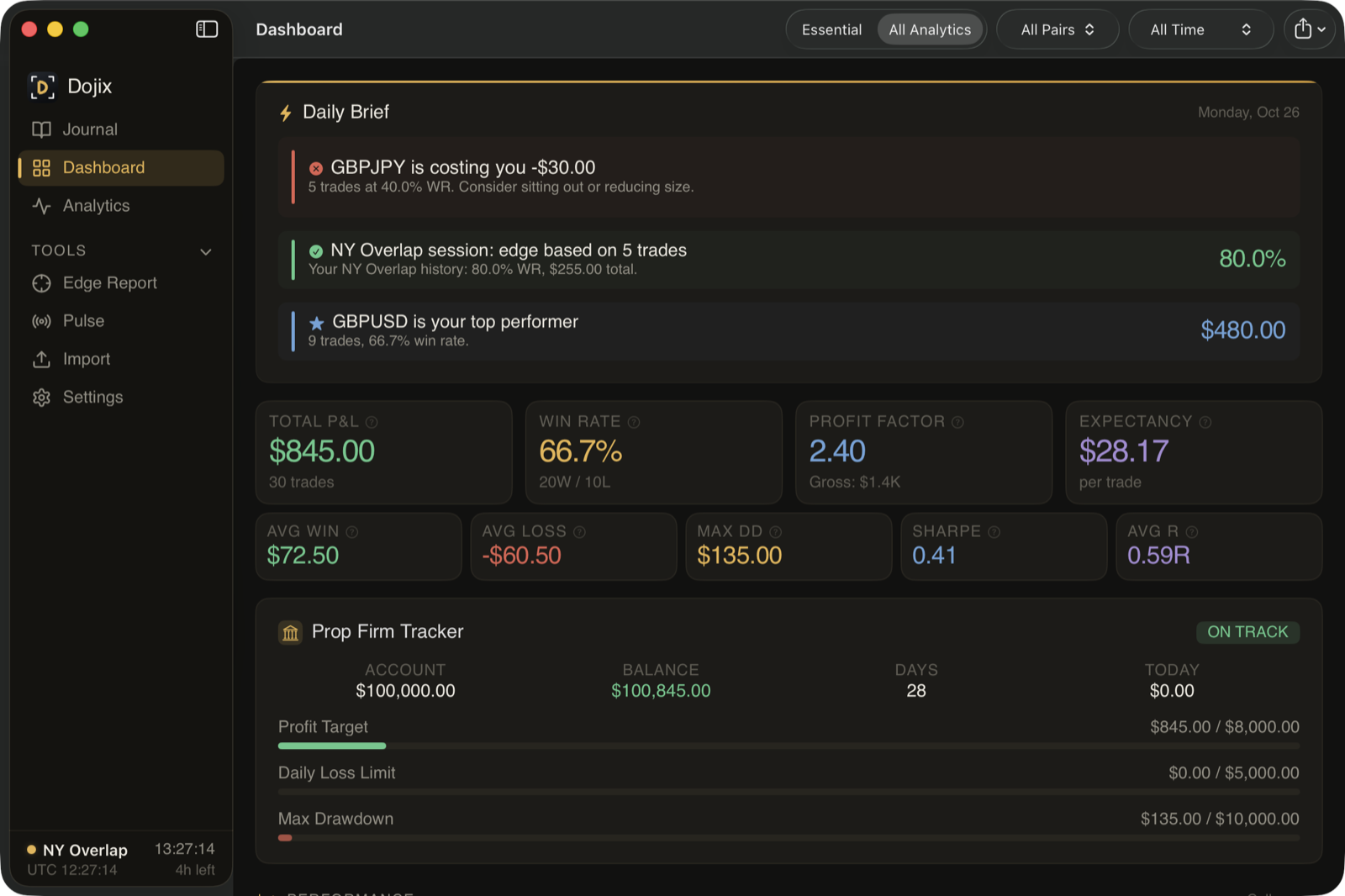
Screenshots show the built-in sample trades. Every number in them is made up.
Built for traders who want answers, not just charts
Dojix ranks the sessions, hours, days and pairs that help or hurt you, with dollar amounts on each one.
More than 60 analytics
Win rate, profit factor, expectancy, drawdown, equity curve, P&L calendar, heatmaps, streaks, Monte Carlo, risk of ruin, position sizing, a kill-zone optimizer, a "what to cut" advisor, a prop-firm tracker and more. An Essential view keeps it simple when you want less.
An Edge Report in dollars
Your top 5 places to make and lose money by session, hour, day and pair, plus bias-alignment and volatility breakdowns. Export it as PDF or CSV.
Know when to trade
The Kill Zone Optimizer finds your profitable hours. What to Cut shows what's costing you. Session Intelligence rates each session FOCUS, OK, REDUCE or AVOID from your own history.
Every trade graded A-F
Each trade is scored on R-multiple, execution, timing and management. See your discipline and consistency scores alongside it.
Monte Carlo your future
1,000 randomized runs of your trade history show the range of outcomes, your odds of hitting a target, and your risk of ruin.
Local and encrypted
Your journal is a local database encrypted on disk with AES-256-GCM. No account, no cloud sync, no telemetry. Turn on App Lock and the journal can't be decrypted without your password.
Every feature, for everyone
Dojix is free software under the GNU GPL v3.0. Nothing is locked and nothing expires. The full source code is on GitHub.
What you get
- The complete app, free
- Source code under GPL-3.0
- No account and no subscription
- No telemetry, no cloud sync
- Journal encrypted on your Mac (AES-256-GCM)
- 30 fictional sample trades to explore first
Optional online features (AI recommendations, live prices, OANDA import) are off by default and run only with your own keys. What they send.
Install
- Download
Dojix-macOS-unsigned.zipfrom the latest release. - Unzip it and drag Dojix.app to Applications.
- The build is unsigned, so the first time, right-click Dojix.app → Open, then Open again. No Open button? Go to System Settings → Privacy & Security and click Open Anyway.
Requires macOS 14 Sonoma or later. Each release has a .sha256 file to check the download. You can also build from source.
Windows version coming soon
Download Dojix
Free for macOS 14 Sonoma or later. No account needed.